9.6.5 Coordinates CodeHS: The Ultimate Guide to Mastering Mouse Tracking and JavaScript Graphics
Discover how CodeHS Coordinates 9.6.5 works, understand X and Y positions, and learn essential mouse events through simple programming examples.

Introduction
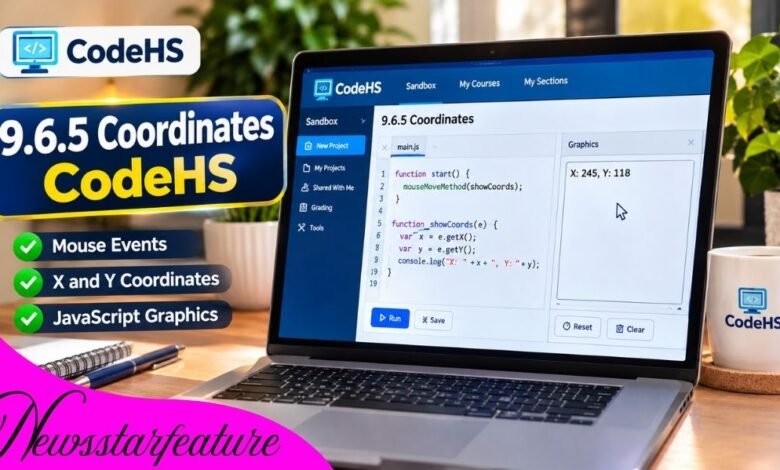
The 9.6.5 coordinates CodeHS exercise helps students understand how mouse movements interact with JavaScript graphics. It introduces coordinate tracking, event handling, and dynamic text updates, making it a valuable activity for beginners learning interactive programming.
Instead of displaying graphics at fixed positions, students learn how programs respond to mouse movement. This practical approach makes concepts such as X and Y coordinates easier to understand.
The exercise also provides useful experience with JavaScript functions, graphical text, and mouse events.
This article explains 9.6.5 Coordinates CodeHS, including its purpose, essential programming methods, practical examples, common errors, and effective techniques for completing the exercise successfully.
What Is 9.6.5 Coordinates CodeHS?
The 9.6.5 Coordinates exercise appears in the Mouse Events: Mouse Moved lesson of the CodeHS Introduction to Computer Science in JavaScript curriculum.
It focuses on detecting the mouse pointer’s position within a graphics canvas and displaying coordinate information.
Every point on the canvas is represented by two numerical values:
- X-coordinate: Represents horizontal position.
- Y-coordinate: Represents vertical position.
When the mouse moves, these values change automatically. JavaScript can detect the movement through event-handling functions and update graphical elements accordingly.
The exercise combines basic coordinate geometry with event-driven programming, helping students understand how interactive computer applications operate.
Understanding the CodeHS Coordinate System
Before completing 9.6.5 coordinates codehs, students should understand how a computer graphics canvas measures positions.
How X and Y Coordinates Work
The CodeHS graphics canvas uses a two-dimensional coordinate system.
The upper-left corner is normally the origin, represented by (0, 0).
The X-coordinate increases as the pointer moves right, while the Y-coordinate increases as it moves downward.
For example, the position (120, 80) means the pointer is located 120 units horizontally and 80 units vertically from the origin.
Understanding this relationship helps programmers place graphical elements accurately.
Why Screen Coordinates Are Different
Traditional mathematical graphs usually show positive Y-values increasing upward.
However, computer graphics canvases commonly measure positive Y-values downward.
This distinction matters most when creating moving objects, games, and interactive drawings.
Practical Coordinate Example
Imagine moving your pointer across a graphics window.
At the upper-left corner, the coordinates approach (0, 0). Moving right increases X, while moving down increases Y.
A coordinate-tracking program displays these changing values as the pointer moves.
How Mouse Events Work in CodeHS
Mouse events allow JavaScript programs to respond automatically when users interact with a graphics canvas.
Understanding mouseMoveMethod()
The mouseMoveMethod() function registers another function to run whenever the mouse moves.
For example, mouseMoveMethod(showCoordinates) tells the program to call showCoordinates when the pointer moves.
The callback receives an event object containing information about the mouse’s current position.
Understanding getX() and getY()
Two important methods are e.getX() and e.getY().
The first retrieves the horizontal mouse position. The second retrieves the vertical position.
Together, they provide the information necessary to display coordinates or control graphical objects.
Why the Event Parameter Matters
The event parameter, commonly written as e, connects the mouse movement to the callback function.
Without accessing this event information, the program cannot retrieve the pointer’s current coordinates through these methods.
How to Complete 9.6.5 Coordinates CodeHS
The most effective approach is to divide the programming task into manageable steps.
Step 1: Create a Text Object
Begin by creating a JavaScript text object that will display coordinate information.
In CodeHS JavaScript Graphics, the Text constructor creates text that can appear on the canvas.
A useful starting message is “Move the mouse.”
Step 2: Position the Text
Use setPosition() to place the text somewhere visible.
For example, positioning it near the upper-left corner makes the displayed coordinates easy to read.
The text should remain inside the visible canvas.
Step 3: Register Mouse Movement
Inside the start() function, register a callback with mouseMoveMethod().
This allows the program to respond whenever the pointer moves.
Step 4: Read the Coordinates
Create a callback function that accepts an event parameter.
Inside that function, retrieve the mouse’s current position using e.getX() and e.getY().
Step 5: Update the Display
Use setText() to replace the existing message with updated coordinate values.
For example, the display might show “X: 125 | Y: 90.”
As the pointer moves, the displayed numbers should change.
Example JavaScript Program
The following educational example demonstrates the essential concept:
var coordinateText;
function start() {
coordinateText = new Text(“Move the mouse”);
coordinateText.setPosition(10, 25);
add(coordinateText);
mouseMoveMethod(showCoordinates);
}
function showCoordinates(e) {
coordinateText.setText(
“X: ” + e.getX() + ” | Y: ” + e.getY()
);
}
This example creates one text object and updates its contents whenever the mouse moves.
It demonstrates the relevant technique, although students should check their own assignment instructions for specific formatting requirements.
Common Mistakes in CodeHS Coordinates Exercises
Even simple coordinate-tracking exercises can produce errors when functions or objects are used incorrectly.
Forgetting the Event Parameter
A callback that does not receive the event parameter cannot use e.getX() or e.getY() correctly.
Always ensure that the callback function accepts the required parameter.
Incorrect Function Names
JavaScript is case-sensitive.
Writing mousemovemethod() instead of mouseMoveMethod() can prevent the program from functioning.
Creating Too Many Text Objects
Creating a new text object for every mouse movement can result in overlapping text.
A cleaner approach is to create one object and update its contents using setText().
Forgetting to Add Text to the Canvas
Creating a text object does not automatically make it visible.
The add() function places the object on the graphics canvas.
Why 9.6.5 Coordinates CodeHS Is Important
The exercise introduces several foundational concepts that extend beyond beginner programming lessons.
Event-Driven Programming
Students learn how software reacts to user actions rather than following only a fixed sequence of instructions.
This concept is widely used in websites, applications, and interactive games.
Dynamic Graphics
Coordinate tracking demonstrates how graphical content can change while a program runs.
Instead of relying exclusively on predetermined positions, applications can respond to live user input.
Logical Problem-Solving
Students must connect multiple programming concepts, including functions, variables, event objects, and text updates.
Learning these relationships makes more advanced JavaScript projects easier to understand.
Practical Applications of Coordinate Tracking
Mouse coordinates are useful in many real-world software applications.
Drawing programs use pointer positions to determine where lines and shapes should appear.
Interactive games rely on coordinates for aiming, object movement, and selecting items.
Graphical interfaces also use pointer positions to help manage interactions with buttons and visual elements.
The fundamental principles introduced in CodeHS therefore provide a foundation for more advanced development.
Tips for Successfully Completing the Exercise
Students should begin by reviewing the assignment instructions and identifying the required output.
Test the program after each meaningful change rather than writing everything before running it.
Move the mouse toward different canvas corners to confirm that the displayed coordinates update correctly.
If an error occurs, examine function names, parentheses, variable scope, and event parameters.
Finally, use the CodeHS testing features to check whether the program satisfies the exercise requirements.
(FAQs)
1. What is 9.6.5 Coordinates CodeHS?
It is a JavaScript graphics exercise that helps students practice detecting mouse movement and displaying pointer coordinates on a graphics canvas.
2. Which programming language is used?
The Coordinates exercise discussed here uses JavaScript within the CodeHS graphics programming environment.
3. What does mouseMoveMethod() do?
It registers a callback function that runs when the mouse moves within the graphics canvas, allowing the program to respond to pointer movement.
4. Why are getX() and getY() important?
These methods retrieve the horizontal and vertical mouse positions, allowing you to update text, move shapes, or respond to pointer locations.
5. How can students fix errors in the Coordinates exercise?
Students should verify function names, check event parameters, confirm text objects are added to the canvas, and test whether coordinate values update as the mouse moves.
Conclusion
The 9.6.5 coordinates codehs exercise provides an accessible introduction to mouse tracking, JavaScript graphics, and event-driven programming.
By understanding X and Y positions, registering mouse events, and updating graphical text, students develop skills that support more advanced interactive projects.
The most valuable outcome is not simply completing the assignment, but understanding how software converts user movement into meaningful graphical responses.