ETL Process Optimization: Proven Ways to Build Faster, More Reliable Data Pipelines
A practical guide to reducing processing time, controlling costs, and improving data quality without sacrificing reliability.

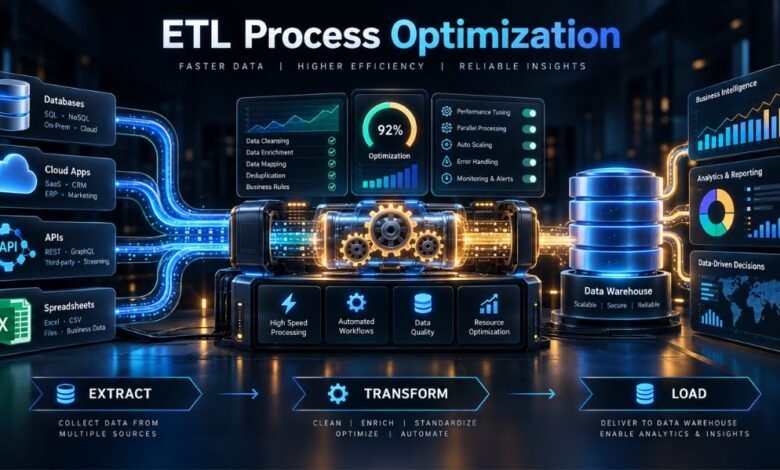
Organizations depend on data from business applications and operational databases. When pipelines run slowly or fail unpredictably, reports become outdated, costs rise, and teams lose confidence in their data.
ETL process optimization improves how data is extracted, transformed, and loaded, so pipelines deliver accurate information faster and with less waste. The goal is a predictable, scalable process, not speed alone.
This article explains how to identify bottlenecks, choose effective optimization techniques, and measure improvements using practical performance indicators.
Why ETL Performance Matters
A poorly designed pipeline may repeatedly scan unchanged tables, transfer unnecessary columns, or overload its destination database. Optimized pipelines deliver fresher dashboards, reduce computing costs, and make failures easier to diagnose. Yet speed must never compromise correctness, security, or recoverability.
Start With a Clear Performance Baseline
Before modifying a pipeline, measure extraction, transformation, and load times, along with data volume, error rates, and resource usage. Distinguish source delays from network and destination bottlenecks. Compare runs across similar data volumes so you don’t mistake a lighter workload for improved processing efficiency.
Identify the Slowest Stage
If extraction dominates, investigate source queries. If transformations are expensive, inspect joins and repeated calculations. If loading is slow, examine write patterns and database contention.
Set a Meaningful Target
Set business-driven targets: a daily reporting job might need to finish before employees arrive, while a near-real-time pipeline might require updates within minutes.
Effective ETL Process Optimization Techniques
1. Process Only New or Changed Data
Incremental data loading avoids processing entire tables when only a few records change.
Use timestamps, change-tracking fields, or change data capture (CDC). Where supported, CDC identifies inserts, updates, and deletes.
Handle late arrivals and retries: timestamp watermarks can miss out-of-order updates. Use checkpoints and periodic reconciliation.
2. Reduce Data Movement and Transformation Work
Filter rows and select essential columns early to reduce transferred data.
Push filtering or aggregation to a capable database engine when appropriate. This pushdown optimization reduces data movement, but heavy queries on production databases may disrupt applications.
Eliminate unnecessary sorting and repeated lookups; reuse intermediate results when beneficial.
3. Use Parallel Processing Carefully
Process independent partitions concurrently, perhaps by date or a balanced key.
Excess concurrency can exhaust memory, saturate networks, or trigger throttling. Test worker counts against throughput and resource use.
Choose Partitions That Distribute Work Evenly
Avoid uneven partitions that leave most workers idle while one handles a disproportionate load. Rebalance as volumes change.
4. Make Loading More Efficient
Use bulk loading or appropriately sized batches instead of individual writes. Respect database capacity and transaction limits.
Partition-aware writes may reduce unnecessary rewrites. Evaluate indexing and constraints, but do not sacrifice integrity for speed.
5. Prevent Errors Before They Spread
Place data quality checks in the pipeline, not only in downstream dashboards. Validate required fields, data types, acceptable ranges, duplicate records, and expected record counts.
Design loads to be idempotent: repeating a failed operation should not create duplicate or inconsistent results. Use stable business keys, merge operations, or controlled upserts when appropriate. Quarantine invalid records for investigation instead of silently dropping them.
Build Reliable Monitoring and Recovery
Optimization is incomplete without visibility. Centralized logs, job-level metrics, and alerts help teams discover failures before consumers notice outdated reports.
Monitor the Metrics That Matter
Track end-to-end latency, records processed per minute, successful-run percentage, data freshness, and cost per processed volume. Monitor source-to-target reconciliation where completeness is critical.
Set alerts around service-level objectives rather than every minor fluctuation. An alert should identify the affected dataset, failing stage, and likely impact so the responsible team can act quickly.
Plan for Schema Changes and Failures
Source fields can appear, disappear, or change type. Establish schema checks and explicit rules for compatible changes. Keep versioned transformations and document dependencies.
Retries should use bounded attempts and sensible backoff. Save progress at safe checkpoints so a failure does not force a complete restart. Test recovery procedures before you need them in production.
ETL Versus ELT: Choose the Right Architecture
Traditional ETL transforms data before loading it into the destination. ELT loads data first and performs transformations within a capable target platform, such as a cloud data warehouse.
Neither architecture is universally faster. ETL can help when you must filter or standardize sensitive information before storage. ELT can work well when the destination offers scalable computing and efficient SQL execution. Choose based on governance, processing cost, workload characteristics, and existing infrastructure.
Frequently Asked Questions
What is the main goal of ETL process optimization?
The main goal is to deliver trustworthy data within required time limits while minimizing avoidable computing, storage, and operational costs. Faster execution matters only when correctness and reliability remain intact.
Which ETL optimization technique should be implemented first?
Start by measuring the pipeline. If the pipeline repeatedly processes unchanged records, incremental loading may provide a major improvement. The best first change depends on the measured bottleneck.
How does change data capture improve ETL performance?
CDC identifies changes made since the previous processing cycle, reducing the need for full extracts. It can also capture deletes that simple timestamp-based methods may overlook, depending on the source system.
Can parallel processing make ETL jobs slower?
Yes. Excessive parallelism can increase contention, memory pressure, and network traffic. Balanced partitions and measured concurrency typically produce better results than simply adding workers.
How often should ETL pipelines be optimized?
Review performance whenever data volumes, source systems, business deadlines, or infrastructure costs change. Regular monitoring can reveal gradual degradation before it becomes a serious issue.
Conclusion
Successful ETL process optimization begins with evidence, not guesswork. Measure every stage, minimize unnecessary data movement, use incremental processing where appropriate, and tune parallelism and loading methods against real workloads. Combine these improvements with quality checks, monitoring, and tested recovery procedures. The result is not merely a faster pipeline, but a dependable foundation for reporting, analytics, and better business decisions.